Computer Tips From A Computer Guy |

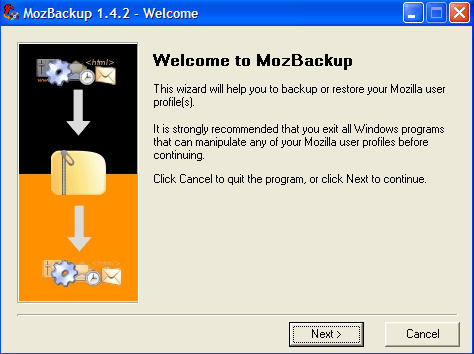
| MozBackup – Backup Firefox and Thunderbird Profiles Posted: 20 Dec 2009 03:05 AM PST I know a lot of people who are all about Microsoft, i.e. they use MS Office, IE, Windows, etc. And there are also people who love using Mozilla products! These include Firefox, Thunderbird, Sunbird, SeaMonkey, Flock and more. If you're one of the latter people, you might want to check out a program called MozBackup. It's a very simple app that basically lets you backup the profiles of many Mozilla or Mozilla-powered apps.
So exactly what can it backup? Here is a list of all the programs it is currently compatible with:
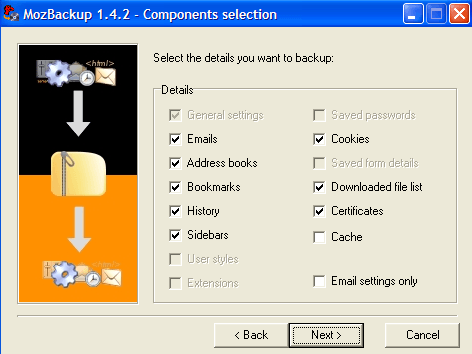
The program will allow you to backup and restore bookmarks, contacts, browsing history, mail, extensions, cache files, and more.
What's cool about the program is that it also has a command line interface, so you can actually create batch scripts to backup your Mozilla profiles. What this means is that you can then schedule those scripts to run automatically via Windows Task Scheduler program. All you have to do is create a config file with the name of the application you want to backup and the location for the backup file. [General] action=backup application=Firefox profile=Default output=c:\backup.pcv password= Save the file as backup.mozprofile or whatever you like, just give it an extension of .mozprofile. Then you simply have to run the mozbackup.exe file with the config file passed in as a parameter:
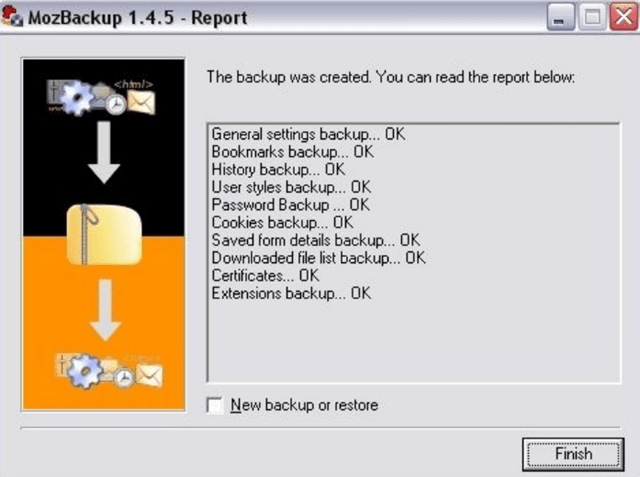
Pretty neat eh! You can check out this page for more information on how to backup using the command line. Once a backup is complete, you'll get a window with the status of the backups. Then click Finish to close the program.
Overall, it's a very straight-forward and easy to use program. If you are tech-savvy, you can use the command line feature to schedule automatic backups of your Mozilla profiles. Enjoy!
Related postsCopyright © 2007 Online Tech Tips. Aseem Kishore (digitalfingerprint: a59a56dce36427d83e23b501579944fcakmk1980 (74.125.44.136) ) Post from:
|
| You are subscribed to email updates from Online Tech Tips To stop receiving these emails, you may unsubscribe now. | Email delivery powered by Google |
| Google Inc., 20 West Kinzie, Chicago IL USA 60610 | |