Computer Tips From A Computer Guy |

| Repair Problems with Windows 7 and Vista using FixWin Posted: 08 Dec 2009 03:43 AM PST If you're a big Windows person, you've probably run across your share of problems right! Maybe your right-click context menu has been disabled in IE? Or maybe the Windows Media Center database has been corrupted? If you have a problem in Windows 7 or Vista, check out a free utility that combines 50 fixes for some of the most common Windows problems. FixWin was developed by the good man over at The Windows Club, an excellent blog on Windows topics.
So what kind of problems can FixWin solve for you? Here's a short list of ones that I liked:
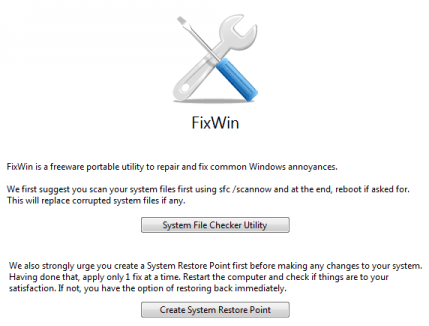
Before you use the program, the author suggests you run the System File Checker utility in Windows to replace any corrupted Windows files. Then, he suggests you create a restore point before applying any of the fixes.
Also, according to the author, you should restart your computer after each fix and only apply one fix at a time. Do not apply 5 fixes and then restart. Apply one and then reboot, then apply the next if needed. Overall, it's a great little utility to have if you ever run into any kind of problems or issues with Windows 7 or Vista. Also, what's great about it is that it's only 529KB and it's portable! Simply copy the app to your USB flash drive and you can use it on any computer, no need to install anything. Enjoy!
Related postsCopyright © 2007 Online Tech Tips. Aseem Kishore (digitalfingerprint: a59a56dce36427d83e23b501579944fcakmk1980 (74.125.44.136) ) Post from:
|

| You are subscribed to email updates from Online Tech Tips To stop receiving these emails, you may unsubscribe now. | Email delivery powered by Google |
| Google Inc., 20 West Kinzie, Chicago IL USA 60610 | |