Computer Tips From A Computer Guy |

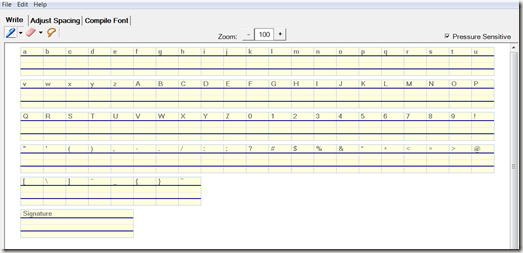
| Make Your Own Handwriting a Font on a Windows Tablet PC Posted: 09 Jan 2010 03:34 AM PST Handwritten letters are quickly becoming a lost art. In fact, many schools have ceased handwriting instruction past the third grade. There are just too many wonderful features, such as spelling and grammar checks, for type-written correspondence. Not to mention, many of us type far faster than we write by hand. But, what if we could have the best of both worlds—personal, handwritten letters with all the benefits word processing software offers? My Font Tool for Tablet PC does exactly this. We can type entire essays, letters, memos—you name it—and have them appear in our own, authentic handwriting. The program is easy to use and takes mere minutes to setup. After installing the program, a window appears with blank boxes for the entire character set where you simply write the letter, number or symbol indicated. It also asks you to provide a signature.
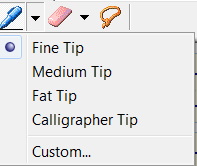
There are several pen options so you can provide the most comfortable, accurate writing.
Logically, there are also several eraser options to edit mistakes. The "stroke" option deletes an entire character, allowing you to completely re-write without mistakenly erasing an entire row of characters.
Here is an example of how the boxes should look once all the characters are written with a tablet pen or mouse. For best results, write each letter in your true handwriting style. Otherwise, the final result may look weird:
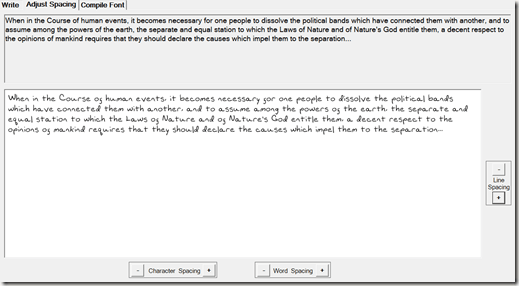
With all of the characters written, the program then allows you to adjust the spacing between characters, words, and lines. It displays the Declaration of Independence, now in your handwriting. From here, simply click the minus and plus signs next to the spacing options until the Declaration of Independence appears in your natural spacing patterns.
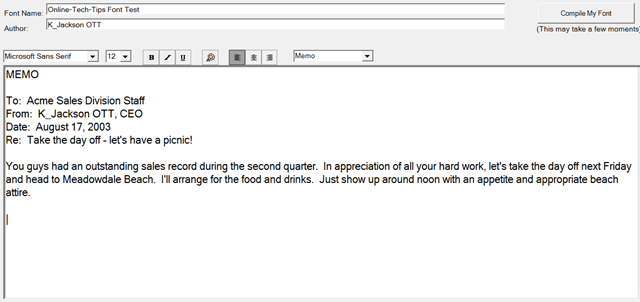
After adjusting the spacing, all that is left is to compile the font. My Font Tools shows you a memo in a standard Windows font.
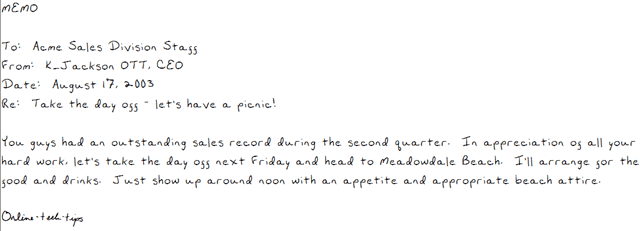
Click "Compile My Font" and the standard font changes to your handwriting!
Now all that is left is to install your font. You can choose to save your font to a file, or install it straight to Windows. To use your font immediately in MS Word or other programs, click "Install Font on This Computer." You will be asked to name your font.
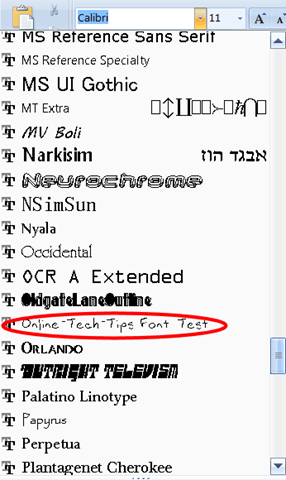
Your font now appears in the font selection menu in most any program. For example, here it is in Word 2007:
You can now type absolutely anything in your own handwriting! You can even make WordArt.
My Font Tool is available from CNET’s Download.com. It will run on any Tablet PC running Windows XP, Vista, or 7.
Related postsCopyright © 2007 Online Tech Tips. Aseem Kishore (digitalfingerprint: a59a56dce36427d83e23b501579944fcakmk1980 (74.125.44.136) ) Post from:
|




| You are subscribed to email updates from Online Tech Tips To stop receiving these emails, you may unsubscribe now. | Email delivery powered by Google |
| Google Inc., 20 West Kinzie, Chicago IL USA 60610 | |