Computer Tips From A Computer Guy |
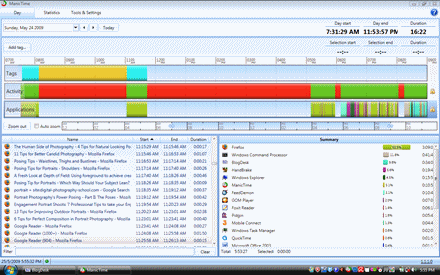
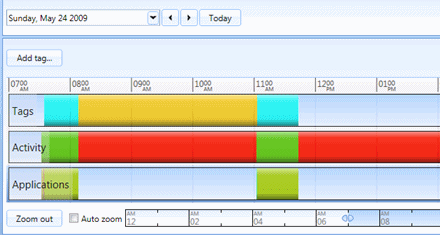
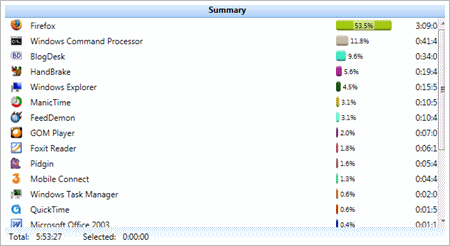
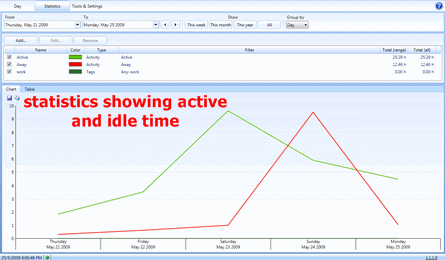
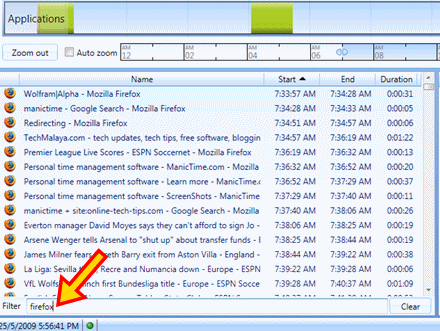
| ManicTime – Personal time management software Posted: 08 Jun 2009 03:00 AM PDT Have you ever turn on a computer, used it for a while, turned it off it again and didn't have any idea of where your all your precious time went? If you ever experienced similar problems like this, ManicTime is the right software for you. ManicTime defines itself as a personal time management software that tracks your computer activities automatically. When it says it “personal” and “time management”, it certainly will benefit you, the end user.
ManicTime works out of the box. Download, install it as any normal Windows app and it will silently works in the background, tracking what you did from time to time. Some of the features of ManicTime are:
IMHO, ManicTime will be most beneficial to people that want to track their computer usage plus managing their personal time in one simple application. ManicTime is one of the easiest, out of the box, personal time management software that you can use for free, for as long that you wish. Try ManicTime today! You may also want to check out 8aweek, a Firefox extension that will track and manage your browsing habits. You can also use Slife to keep track of how you spend time on your computer. Enjoy!
Related postsCopyright © 2007 Online Tech Tips. Aseem Kishore (digitalfingerprint: a59a56dce36427d83e23b501579944fcakmk1980 (74.125.112.136) ) Post from: ManicTime – Personal time management software
|
| You are subscribed to email updates from Online Tech Tips To stop receiving these emails, you may unsubscribe now. | Email delivery powered by Google |
Inbox too full?  | |
| If you prefer to unsubscribe via postal mail, write to: Online Tech Tips, c/o Google, 20 W Kinzie, Chicago IL USA 60610 | |