Computer Tips From A Computer Guy |

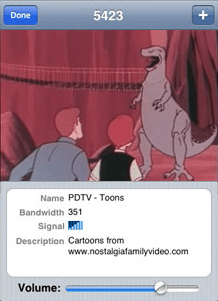
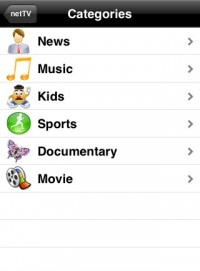
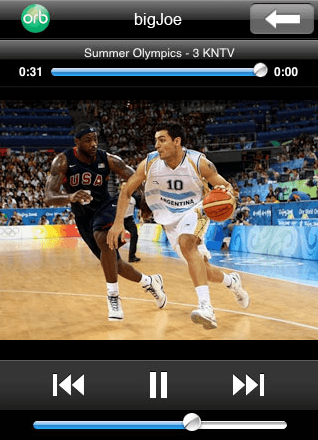
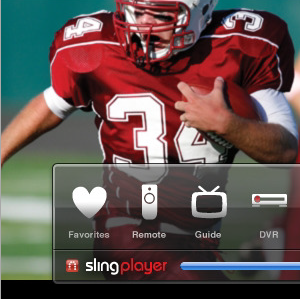
| 5 apps to watch TV on the iPhone Posted: 15 Oct 2009 03:01 AM PDT I recently got an iPhone 3GS and I can't stop watching TV shows and movies on it! It's just plain addicting. Now when I say watching TV on the iPhone, it means either watching live TV or watching pre-recorded stuff. If you want to watch true live TV on your iPhone, there are a few apps out there, but they only work over WiFi, not 3G. However, buying some additional hardware for your computer can get you actual live TV on your iPhone over 3G. I'll explain everything below. Apps to watch TV on the iPhoneFirst, let's go through some of the apps currently in the App Store that let you watch pre-recorded and live video on the iPhone. TVU allows you to watch live TV from more than 300 channels worldwide. It costs $5 and works over WiFi only at this time. The basic features it includes are favorites, search, and landscape mode viewing. Also, there is no limit on the amount of time you can watch TV. Apparently, this programs works over 3G, but is not nearly as polished as TVU. People have complained about bad program guide, slow video loading, and other types of problems. However, it has about 200 channels from around the world that you can watch in full screen over 3G. Maybe the next version will be better! If you don't care about the whole "live" aspect of TV, then you can use tv.com to watch videos from numerous networks including CBS, NBC, CNET and lots more. The programs works over WiFi and over 3G, so that's a nice benefit. I've used it before and it's very good except for the fact that the video quality can be grainy sometimes. Not exactly live TV, but Television has quite a decent lineup of videos that you can watch from top sources like CNN, CBS, FOX, Comedy Central, ESPN, and more. Currently it only supports viewing over a WiFi network. How to watch live TV on the iPhoneOk, so now if you really really want true live TV on the iPhone with access to all the channels you are currently subscribed too (not just random ones from other countries), then you need to go a bit further than just iPhone apps. Though this apps costs a nice $10, it's definitely worth it! You can use it to stream music, video, and pictures from your desktop home computer to your iPhone. Not only that, but you can stream your webcam to your iPhone and the best part, stream live TV to your iPhone. The only catch here is that you need to have a TV Tuner card installed on your computer. That's an extra $100 bucks or more, but if you really want to have access to all your cable and satellite channels live on the iPhone, you'll need to buy one. The other major advantage is that it works over 3G, which is super cool! Another way to get all your channels live streamed to your iPhone is to use a SlingPlayer. Of course, you'll have to buy one and connect it to your TV and Internet, but then you can use the SlingPlayer mobile application to watch everything. As of right now, it only works over WiFi, but there are rumors it will work over 3G soon. You can use it to not only control your TV, but also control your DVR, Apple TV, or some security cameras. If you know of any more apps to watch or stream live TV to an iPhone, post it in the comments! Enjoy!
Related postsCopyright © 2007 Online Tech Tips. Aseem Kishore (digitalfingerprint: a59a56dce36427d83e23b501579944fcakmk1980 (74.125.44.136) ) Post from: 
       |


| You are subscribed to email updates from Online Tech Tips To stop receiving these emails, you may unsubscribe now. | Email delivery powered by Google |
| Google Inc., 20 West Kinzie, Chicago IL USA 60610 | |

